Kasus XDA untuk menjalankan setiap penginstal mencurigakan di Windows Sandbox menyentuh saraf, dan pengguna Android menginginkan trik yang sama: cara untuk memasang APK yang dipertanyakan, menguji klon aplikasi yang dikenal, atau memisahkan klien media sosial yang bising dari sisa ponsel. Aplikasi sandboxing dan private space terbaik untuk Android di 2026 memanfaatkan primitif work-profile bawaan Android, teknik kloning aplikasi, dan kontainer terisolasi untuk memberikan pemisahan nyata tanpa melakukan root perangkat. Kami menguji tujuh pada kekuatan isolasi, kegunaan sehari-hari, dampak baterai, dan seberapa andal masing-masing bertahan dalam patch keamanan Android.
Apa yang dicari dalam aplikasi sandboxing Android
Metode isolasi paling penting. Sandbox berbasis work-profile (Island, Shelter, Insular) menggunakan mekanisme Device Owner atau Profile Owner bawaan, yang memberikan isolasi kuat tanpa root. Aplikasi berbasis klon (Parallel Space, App Cloner) memvirtualisasi aplikasi target di dalam proses mereka sendiri, yang lebih cepat untuk diatur tetapi lebih lemah dalam hal isolasi.
Overhead baterai dan performa nyata. Setiap sandbox menjalankan salinannya sendiri dari layanan, akun, dan notifikasi. Pilih alat yang memungkinkan Anda membekukan atau menghentikan aplikasi sandboxed yang tidak digunakan.
Keberhasilan pembaruan menentukan umur panjang. Android memperketat work-profile dan API aksesibilitas dengan setiap rilis. Alat yang dipertahankan di sisi sumber terbuka (Island, Shelter) umumnya beradaptasi lebih cepat daripada aplikasi klon tertutup.
Kompatibilitas dengan aplikasi yang benar-benar ingin Anda sandbox adalah tes praktis. Aplikasi perbankan, klien pesan dengan enkripsi end-to-end, dan game dengan anti-cheat semuanya mendeteksi dan menolak menjalankan sandbox dengan cara yang berbeda. Selalu uji sebelum mengandalkan pengaturan.
Perbandingan Cepat
| Aplikasi | Terbaik untuk | Metode | Paket Gratis | Keunggulan |
|---|---|---|---|---|
| Island | Isolasi pengguna power-user | Work profile | Penuh | Opsi pembekuan/klon paling fleksibel |
| Shelter | Sandbox minimal sumber terbuka | Work profile | Penuh | Alternatif F-Droid yang ringkas |
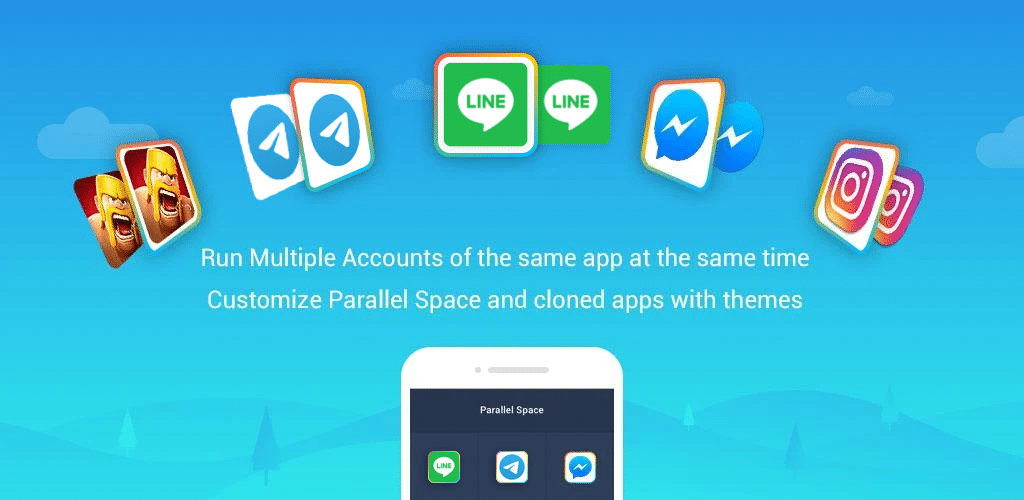
| Parallel Space | Penggunaan akun ganda kasual | Divirtualisasi | Iklan | Penyiapan termudah |
| Parallel Space Lite | Ponsel RAM rendah | Divirtualisasi | Iklan | Jejak lebih kecil |
| App Cloner | Klon yang dimodifikasi khusus | Rewrap aplikasi | Freemium | Penyesuaian granular per-klon |
| Insular | Garpu Island | Work profile | Penuh | Mesin yang sama, UI lebih sederhana |
| Samsung Secure Folder | Ponsel Samsung | Kontainer Knox | Penuh | Isolasi didukung perangkat keras |
1. Island — Terbaik untuk isolasi pengguna power-user
Island menggunakan mekanisme Device Owner untuk memutar profil yang sepenuhnya terisolasi tempat Anda dapat memasang aplikasi dengan penyimpanan data mereka sendiri, notifikasi terpisah, dan kemampuan untuk membekukannya sesuai permintaan. Jalankan klon WhatsApp dengan nomor berbeda, sandbox APK mencurigakan sebelum memutuskan apakah akan mempercayainya, atau bekukan aplikasi latar belakang untuk memperpanjang daya tahan baterai.
Kelemahannya: pengaturan memerlukan ADB pada run pertama untuk memberikan hak istimewa Device Owner. Setelah dikonfigurasi, penggunaan sehari-hari mudah, tetapi hambatan awal menakut-nakuti pengguna kasual.
Harga: Gratis, sumber terbuka.
Platform: Android.
Unduh: Aptoide · Google Play · F-Droid
Garis bawah: Sandbox paling fleksibel dalam daftar. Layak pengaturan ADB jika Anda benar-benar membutuhkan isolasi.
2. Shelter — Opsi sumber terbuka minimal terbaik
Shelter adalah rekan sumber terbuka minimal untuk Island. Ini menggunakan mekanisme work-profile yang sama tetapi mengirimkan antarmuka yang lebih sederhana yang berfokus pada isolasi aplikasi dan pembekuannya sesuai permintaan. Basis kode kecil, diaudit secara teratur, dan diterima di F-Droid.
Kelemahannya: kurang fitur manajemen yang lebih dalam yang diberikan Island. Tidak ada opsi sinkronisasi selektif lanjutan.
Harga: Gratis, sumber terbuka.
Platform: Android.
Garis bawah: Pilihan jika Anda menginginkan pendekatan work-profile tanpa kedalaman Island.
3. Parallel Space — Terbaik untuk penggunaan akun ganda kasual
Parallel Space adalah klonir paling populer untuk konsumen: pasang, pilih aplikasi target, dan salinan yang divirtualisasi berjalan bersama original dengan akun terpisah. Ini adalah alat yang tepat ketika Anda menginginkan WhatsApp kedua atau klon game dengan save berbeda.
Kelemahannya: virtualisasi adalah isolasi yang lebih lemah daripada work profile. Penempatan iklan agresif di versi gratis. Banyak aplikasi perbankan mendeteksi dan memblokir konteks yang divirtualisasi.
Harga: Gratis dengan banner dan iklan pemenang.
Platform: Android.
Unduh: Aptoide · Google Play
Garis bawah: Nyaman untuk akun kedua, tidak untuk isolasi serius.
4. Parallel Space Lite — Terbaik untuk ponsel RAM rendah
Parallel Space Lite menukar beberapa fitur untuk jejak lebih kecil. Jika ponsel Anda memiliki RAM 4 GB atau kurang, build lite memotong overhead menjalankan aplikasi yang dikloning dalam proses latar belakang.
Kelemahannya: batasan virtualisasi yang sama dengan aplikasi penuh. Beberapa target klon menolak untuk diluncurkan di bawah mesin lite.
Harga: Gratis dengan iklan.
Platform: Android.
Unduh: Google Play
Garis bawah: Pilihan ketika RAM ketat dan Anda hanya membutuhkan kloning dasar.
5. App Cloner — Terbaik untuk klon yang dimodifikasi khusus
App Cloner mendekati masalah secara berbeda: melapisi ulang APK target dengan modifikasi seperti nama paket terpisah, ikon khusus, izin kekeebalan, dan kontrol privasi. Hasilnya dipasang sebagai aplikasi mandiri daripada berjalan melalui kontainer yang divirtualisasi.
Kelemahannya: pembungkusan ulang memecahkan pemeriksaan anti-tamper di banyak aplikasi. Tingkat gratis membatasi modifikasi yang tersedia. Peklonoan ulang setelah pembaruan bersifat manual.
Harga: Freemium dengan tingkatan premium untuk modifikasi lanjutan.
Platform: Android.
Unduh: Aptoide · Google Play
Garis bawah: Terbaik ketika Anda menginginkan klon yang berperilaku seperti aplikasi terpisah, bukan tab yang dibungkus dalam alat lain.
6. Insular — Garpu Island Terbaik
Insular adalah garpu sumber terbuka dari Island, dipertahankan di F-Droid dengan UI yang disederhanakan dan fondasi work-profile yang sama. Ini adalah pilihan yang tepat ketika Anda menginginkan mekanisme Island tetapi proyek yang hidup sepenuhnya di luar Google Play.
Kelemahannya: pengembangan melacak Island dengan erat, jadi fitur Island baru memerlukan waktu untuk tiba. UI kurang halus.
Harga: Gratis, sumber terbuka.
Platform: Android.
Unduh: F-Droid
Garis bawah: Opsi hanya F-Droid untuk orang-orang yang menghindari ketergantungan Play Store.
7. Samsung Secure Folder — Terbaik untuk ponsel Samsung
Samsung Secure Folder tertanam di One UI pada perangkat Galaxy dan menggunakan kontainer Knox yang didukung perangkat keras Samsung. Aplikasi yang dipasang di Secure Folder memiliki data, notifikasi, akun, dan kunci biometrik mereka sendiri. Isolasi ditegakkan di tingkat perangkat keras pada perangkat yang didukung.
Kelemahannya: hanya Samsung. Beberapa aplikasi masih menolak untuk diluncurkan di dalam kontainer Knox. Tidak dapat memindahkan setiap aplikasi sistem ke folder.
Harga: Gratis, tertanam.
Platform: Samsung Galaxy.
Unduh: Dipra-instal pada perangkat Samsung yang didukung melalui Pengaturan > Keamanan dan privasi > Secure Folder. Samsung Galaxy Store
Garis bawah: Jika Anda memiliki ponsel Galaxy, ini adalah opsi yang didukung perangkat keras paling kuat.
Cara memilih yang tepat
Jika Anda menginginkan sandboxing terdalam tanpa root dan bersedia melakukan pengaturan ADB sekali: Island. Tidak ada lagi di daftar yang cocok dengan fleksibilitasnya.
Jika Anda menginginkan pendekatan work-profile yang sama dengan antarmuka lebih sederhana dan basis kode lebih kecil: Shelter atau Insular.
Jika Anda hanya menginginkan akun WhatsApp kedua dalam lima menit: Parallel Space.
Jika ponsel Anda RAM rendah: Parallel Space Lite.
Jika Anda perlu menyesuaikan klon (ikon berbeda, izin berbeda, manifes yang dimodifikasi): App Cloner.
Jika Anda memiliki ponsel Samsung: Samsung Secure Folder tertanam dan merupakan opsi tanpa pengaturan paling kuat.
FAQ
Apa sandbox aplikasi Android gratis terbaik? Island adalah opsi gratis paling kuat untuk power user. Shelter adalah opsi minimal sumber terbuka paling bersih. Samsung Secure Folder adalah pilihan bawaan terbaik jika Anda memiliki ponsel Galaxy.
Apakah saya perlu melakukan root ponsel saya untuk sandbox aplikasi? Tidak. Semua tujuh aplikasi di sini bekerja tanpa root. Island dan Shelter menggunakan mekanisme Device Owner (diatur dengan satu perintah ADB). Aplikasi berbasis klon menggunakan virtualisasi. Samsung Secure Folder menggunakan kontainer Knox bawaan.
Dapatkah aplikasi yang di-sandbox masih mengakses internet dan notifikasi? Ya. Poin sandboxing adalah mengisolasi data, akun, dan izin, bukan untuk memotong konektivitas. Notifikasi datang dengan indikator sandbox.
Sandbox mana yang paling pribadi? Samsung Secure Folder (pada perangkat keras yang didukung) memberikan isolasi yang didukung perangkat keras. Island dan Shelter memberikan isolasi perangkat lunak kuat melalui work profile Android. Pengganda yang divirtualisasi (Parallel Space, App Cloner) menawarkan isolasi paling lemah dalam perbandingan ini.
Apakah aplikasi perbankan akan bekerja di dalam sandbox? Terkadang. Aplikasi perbankan dan aplikasi dengan deteksi anti-tamper yang kuat sering menolak untuk diluncurkan di dalam pengganda yang divirtualisasi. Sandbox work-profile (Island, Shelter) memiliki kompatibilitas lebih baik tetapi tidak universal. Selalu uji sebelum mengandalkan setup perbankan yang di-sandbox.