Argumen XDA bahwa editor AI paling pintar memperluas VS Code daripada menggantinya mengenai sasaran yang jelas: permukaan ekstensi VS Code adalah keunggulan kompetitif. Pertanyaan lanjutan lebih jujur — apa yang benar-benar menarik pengembang dari VS Code di 2026, setelah bertahun-tahun mencoba meninggalkannya? Kami menguji tujuh alternatif VS Code yang paling direkomendasikan di seluruh pekerjaan web, backend, dan sistem, mengevaluasi kecepatan startup, kualitas language server, integrasi AI, dan berapa banyak gesekan yang ditambahkan saat akhirnya harus kembali untuk tugas sekali-waktu.
Perbandingan Cepat
| Editor | Terbaik untuk | Paket gratis | Harga awal | Keunggulan |
|---|---|---|---|---|
| JetBrains IntelliJ IDEA | Kedalaman IDE pertama Java/Kotlin | Community Edition | $169/tahun Ultimate | Refactoring terbaik dalam kelasnya |
| Cursor | Editor AI-native VS Code fork | Gratis dengan batasan | $20/bulan Pro | Agen bawaan di editor |
| Zed | Editor modern yang fokus pada kecepatan | Gratis | $20/bulan Pro AI | Latensi input di bawah 50 milidetik |
| Sublime Text | Raja performa jangka panjang | Uji coba | $99 sekali | Tidak dapat dibedakan dari instan |
| Neovim | Editor terminal yang dapat dikonfigurasi | Gratis | Gratis | Memori keystroke berusia puluhan tahun |
| Helix | Modal editor dengan baterai standar | Gratis | Gratis | Default yang masuk akal, tanpa kemacetan |
| Windsurf | Editor AI-extended VS Code fork | Gratis dengan batasan | $15/bulan Pro | Autocomplete kelas Codeium |
Mengapa orang meninggalkan VS Code
VS Code adalah standar karena alasan, tetapi survei pengembang Stack Overflow 2025 menempatkan churn di sekitar editor pada tingkat tertinggi sejak 2021. Pola yang berulang:
- Memori dan startup. Workspace yang dimuat dengan dua puluh ekstensi dapat berada di 1,2 GB RAM dan membutuhkan waktu enam detik untuk membuka. Orang memperhatikan.
- Perlombaan AI. Cursor dan Windsurf mengirimkan integrasi AI kelas agen setahun sebelum Copilot VS Code akhirnya tertangkap; beberapa tim berpindah dan tidak pindah kembali.
- Kedalaman refactoring. Java, Kotlin, dan basis kode TypeScript besar mendapatkan tooling yang lebih baik di produk JetBrains. Kesenjangan menyempit tetapi tidak tertutup.
- Kelelahan merek Microsoft. Kelompok kecil tetapi persisten tidak akan menjalankan editor bermerek Microsoft di 2026 karena alasan politik; VSCodium meringankan ini tetapi bukan alternatif nyata.
- Renaisans editor modal. Neovim dan Helix mendapat manfaat dari gelombang berbagi konfigurasi yang didorong YouTube; beberapa pengembang berpindah dari “VS Code dengan ekstensi Vim” ke editor modal yang sebenarnya.
Alternatif
JetBrains IntelliJ IDEA — Terbaik untuk kedalaman refactoring
IntelliJ IDEA adalah IDE tempat pengguna VS Code bekas mendarat ketika menginginkan refactoring dalam skala industri. Tooling ganti nama simbol lintas modul, intelijen kode yang sadar bahasa untuk Java dan Kotlin, dan klien database in-IDE melampaui setara ekstensi VS Code. Agen Junie 2025 memanggang mitra coding AI langsung ke dalam IDE.
Di mana itu jatuh pendek: Startup berat pada cold launch; build EAP mengklaim perbaikan tetapi sebagian besar pengguna masih melihat 8 hingga 15 detik. Edisi per-bahasa (PyCharm, WebStorm, dll.) menduplikasi fitur daripada satu editor terpadu; langganan bundle membantu tetapi dibaca sebagai pemerasan biaya lisensi.
Harga:
- Gratis: Community Edition untuk Java/Kotlin saja
- Berbayar: $169/tahun Ultimate (produk tunggal), $289/tahun All Products Pack
- vs VS Code: peluncuran lebih berat, refactoring jauh lebih dalam, berbayar
Migrasi dari VS Code: Instal plugin IdeaVim jika Anda menggunakan ekstensi Vim. Gunakan preset “VS Code keymap” untuk minggu pertama, kemudian beralih ke default JetBrains untuk mendapatkan menu shortcut Find Action penuh.
Unduh: JetBrains IntelliJ IDEA
Garis bawah: Pilih ini untuk pekerjaan Java, Kotlin, atau TypeScript yang serius di mana refactoring adalah kata kerja harian.
Cursor — Fork AI-native terbaik
Cursor adalah editor AI-first yang berbasis VS Code yang mendapat pergeseran pangsa pikiran terbesar sejak Atom mati. Dibangun di atas inti VS Code yang sama, ia menambahkan agen yang dapat mengedit file, menjalankan terminal, dan menghasilkan diff multi-file dari prompt bahasa alami. Mode “Composer” 2026 menangani refactor end-to-end di seluruh paket.
Di mana itu jatuh pendek: Tier gratis generous tetapi lambat. Tier Pro di $20/bulan naik dengan penggunaan token. Sinkronisasi dengan ekstensi VS Code asli terkadang tertinggal marketplace Microsoft beberapa hari.
Harga:
- Gratis: 2.000 completion dan 50 permintaan kelas GPT-4 per bulan
- Berbayar: $20/bulan Pro, $40/bulan Business; paket tim tersedia
- vs VS Code: AI kelas agen, ekosistem ekstensi yang sama, berbayar untuk penggunaan serius
Migrasi dari VS Code: Cursor mengimpor pengaturan, tema, dan ekstensi pada peluncuran pertama. Nonaktifkan ekstensi AI apa pun yang sudah Anda miliki; agen bawaan Cursor lebih mampu daripada pesaing yang dimuat di samping.
Unduh: Cursor
Garis bawah: Pilih ini ketika Anda menginginkan pengalaman VS Code yang dibangun di sekitar agen AI daripada AI sebagai add-on.
Zed — Terbaik untuk kecepatan
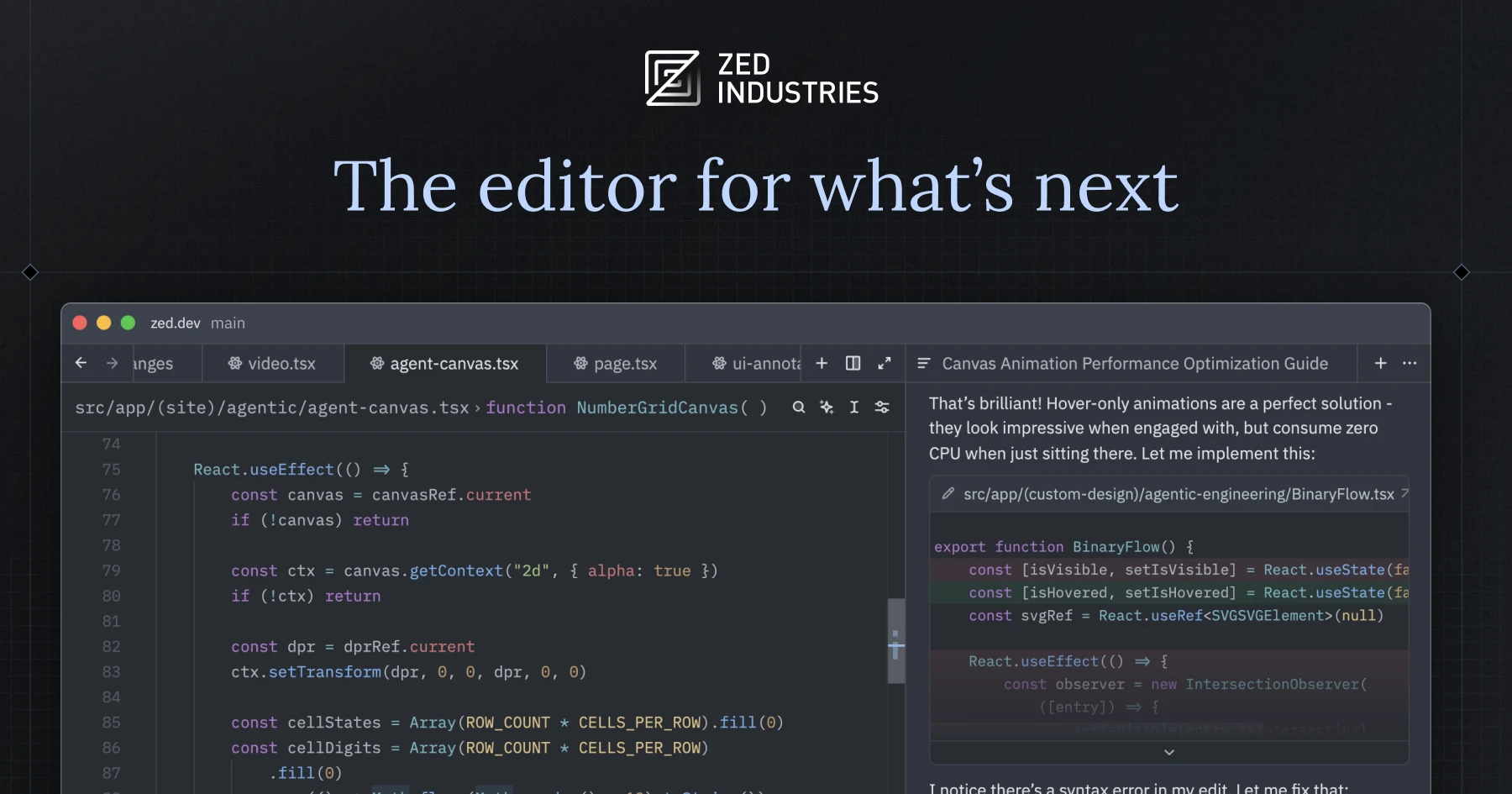
Zed adalah editor kolaboratif berbasis Rust dari tim Atom. Latensi input di bawah 50 milidetik adalah fitur utama; pipeline rendering yang dipercepat GPU menunjukkan perbedaan pada beban kerja yang sama yang membuat VS Code tersentak. Pembaruan Zed Agentic 2025 menambahkan asisten AI yang dapat ditabung.
Di mana itu jatuh pendek: Ekosistem ekstensi bertahun-tahun di belakang VS Code. Bahasa tertentu (PHP, Lua) masih lebih kasar daripada VS Code. Tier gratis generous; tier AI Pro dimulai dengan cepat pada penggunaan berat.
Harga:
- Gratis: editor plus 50 permintaan AI/bulan
- Berbayar: $20/bulan Pro AI, $40/bulan paket tim
- vs VS Code: jauh lebih cepat, lebih sedikit ekstensi, AI bawaan
Migrasi dari VS Code: Impor pengaturan melalui asisten migrasi. Peta perintah palet Cmd+Shift+P ekuivalen ke memori otot VS Code Anda. Gunakan mode multi-kursor; implementasi Zed adalah yang tersiap dalam kelasnya.
Unduh: Zed
Garis bawah: Pilih ini ketika lag input adalah keluhan utama Anda dan Anda dapat hidup tanpa beberapa ekstensi khusus.
Sublime Text — Editor jangka panjang terbaik
Sublime Text adalah editor yang mendefinisikan “umpan balik instan” sebelum VS Code ada. Versi 4 menambahkan terminal in-editor, hot-exit, dan Sidebar Bertab; tab AI dari akhir 2024 membawa autocomplete setara dengan Copilot tingkat menengah. Single-binary, tidak ada Electron, startup tercepat di daftar ini.
Di mana itu jatuh pendek: Ekosistem ekstensi lebih kecil dari VS Code dan telah mandek sejak 2022. Konfigurasi hanya JSON; tidak ada panel pengaturan GUI. Integrasi Sublime LLM tertinggal Cursor dan Windsurf satu generasi.
Harga:
- Gratis: evaluasi tak terbatas
- Berbayar: $99 lisensi pribadi sekali, $80/tahun bisnis
- vs VS Code: lebih cepat, ekosistem lebih kecil, biaya sekali bukan berlangganan
Migrasi dari VS Code: Gunakan manajer ekstensi Package Control untuk menemukan penggantian satu-ke-satu untuk sebagian besar ekstensi VS Code. Plugin Origami memulihkan memori otot pemisahan jendela.
Unduh: Sublime Text
Garis bawah: Pilih ini untuk pekerjaan file besar yang serius di mana kecepatan startup dan memori lebih penting daripada setiap plugin di pasar.
Neovim — Editor terminal terbaik
Neovim adalah penulisan ulang modern Vim, dan 2025 adalah tahun integrasi LSP dan AI-nya akhirnya menangkap kelas IDE. Manajer ekosistem plugin (lazy.nvim, mason.nvim) membuat editor terasa kohesif daripada dirakit bersama. Alur kerja terminal-first menjaga memori di bawah 100 MB pada sebagian besar proyek.
Di mana itu jatuh pendek: Konfigurasi adalah hobi; harapkan kurva pembelajaran Lua sebelum editor terasa seperti rumah. Pengguna baru yang menginstal config starter (LazyVim, NvChad) melaporkan hasil yang lebih baik daripada DIY. Integrasi AI memerlukan pilihan plugin yang ditangani Cursor atau Windsurf untuk Anda.
Harga:
- Gratis: open source
- Berbayar: gratis; penulis plugin menerima donasi
- vs VS Code: jejak memori kecil, memerlukan waktu konfigurasi nyata
Migrasi dari VS Code: Mulai dengan LazyVim jika Anda tidak ingin menulis Lua. Instal GitHub Copilot.lua atau codeium.nvim untuk AI. Jangan coba recreate setiap fitur VS Code dalam minggu pertama; biarkan alur kerja muncul.
Unduh: Neovim
Garis bawah: Pilih ini ketika Anda menginginkan editor terminal-first yang dapat Anda ajari selama bertahun-tahun dan Anda akan melakukan pekerjaan setup.
Helix — Editor modal terbaik dengan default yang masuk akal
Helix adalah editor modal berbasis Rust yang dilengkapi dengan baterai: language server dikonfigurasi dari kotak, penyorotan sintaks tree-sitter, dukungan multi-kursor, dan model perintah kata benda-kata kerja yang memperbaiki papercut UX terbesar Vim. Tidak diperlukan konfigurasi untuk terasa kompeten pada hari pertama.
Di mana itu jatuh pendek: Sistem plugin masih dalam desain per pertengahan 2026. Beberapa pengguna merasa default language-server menguburkan terlalu banyak kustomisasi. Integrasi AI hanya pihak ketiga.
Harga:
- Gratis: open source
- Berbayar: gratis
- vs VS Code: editing modal tanpa pajak konfigurasi Vim
Migrasi dari VS Code: Baca tutor Helix. Jangan melawan model kata benda-kata kerja; itu adalah desainnya. Pasangkan dengan Zellij untuk manajemen jendela jika Anda memerlukan panel split.
Unduh: Helix
Garis bawah: Pilih ini ketika Anda menginginkan editing modal tanpa menghabiskan akhir pekan di config Neovim.
Windsurf — Fork AI kelas Codeium terbaik
Windsurf (sebelumnya Codeium) adalah fork VS Code berbasis AI utama kedua. Agen Cascade menangani edit multi-file dan dilengkapi dengan penanganan konteks kode yang lebih kuat untuk monorepo yang sangat besar daripada default Cursor. Tier gratis menangani beban kerja individu tanpa mendesak.
Di mana itu jatuh pendek: Pengenalan merek masih tertinggal Cursor. Beberapa fitur enterprise (SSO, audit logs) hanya berbayar. Paritas ekstensi dengan VS Code bagus tetapi tidak sempurna pada plugin yang baru dirilis.
Harga:
- Gratis: tidak terbatas dengan panggilan agen dibatasi
- Berbayar: $15/bulan Pro, $35/bulan Team
- vs VS Code: AI kelas agen dengan harga lebih rendah dari Cursor
Migrasi dari VS Code: Impor pengaturan berfungsi pada peluncuran pertama. Nonaktifkan ekstensi AI mandiri apa pun; Cascade menangani autocomplete dan chat dalam satu stack.
Unduh: Windsurf
Garis bawah: Pilih ini ketika Anda menginginkan AI kelas Cursor tanpa penetapan harga Cursor dan Anda bekerja pada basis kode besar.
Cara memilih
Pilih IntelliJ IDEA ketika refactoring adalah kata kerja harian Anda dan Anda bekerja di Java, Kotlin, atau TypeScript besar. Pilih Cursor ketika Anda menginginkan pengalaman pengembang yang diprioritaskan AI dan Anda bersedia membayar $20/bulan. Pilih Zed jika lag input membunuh Anda dan Anda dapat hidup dengan daftar ekstensi yang lebih tipis. Pilih Sublime Text untuk editor tercepat di daftar ini dan lisensi sekali. Pilih Neovim ketika Anda ingin berinvestasi dalam alur kerja terminal-first yang akan Anda pertahankan selama satu dekade. Pilih Helix jika Anda menginginkan editing modal tanpa beban konfigurasi. Pilih Windsurf ketika Anda menginginkan paritas AI dengan Cursor pada tingkat harga yang lebih rendah.
Tetap di VS Code jika tooling tim Anda, daftar ekstensi, dan plugin AI sudah berfungsi dan Anda hanya lelah melihatnya; keuntungan marginal dari pengalihan biasanya lebih kecil dari waktu yang diperlukan untuk membangun kembali shortcut Anda.
FAQ
Apa alternatif VS Code terbaik di 2026?
Cursor dan JetBrains IntelliJ IDEA adalah pilihan konsensus. Cursor menang untuk pengembang yang diprioritaskan AI yang menginginkan agen bawaan; IntelliJ menang untuk pekerjaan Java, Kotlin, atau TypeScript besar yang serius yang mendapat manfaat dari refactoring mendalam.
Apakah Cursor lebih baik dari VS Code?
Untuk alur kerja berbasis AI, ya. Agen Cursor mengirimkan fitur yang Copilot VS Code masih tidak cocok di 2026, dan fork tetap tersinkronisasi dengan VS Code core extension API. Untuk pekerjaan non-AI, keduanya secara fungsional identik.
Apakah Zed lebih cepat dari VS Code?
Ya, terukur. Renderer yang dipercepat GPU Zed menjaga latensi input di bawah 50 milidetik pada beban kerja di mana VS Code melayang melewati 80 milidetik. Perbedaannya paling terlihat dalam file besar dan operasi pencarian-penggantian.
Bisakah saya menggunakan ekstensi VS Code di Cursor?
Ya. Cursor adalah fork VS Code dan menggunakan marketplace ekstensi yang sama. Beberapa ekstensi yang diterbitkan Microsoft (Remote SSH, Live Share) memerlukan solusi, tetapi sebagian besar ekstensi pihak ketiga dipasang tanpa perubahan.
Apa alternatif VS Code gratis terbaik?
Neovim, Helix, dan Zed adalah pilihan gratis. Zed memiliki pengalaman out-of-the-box paling sempurna; Neovim memiliki configurability paling mendalam; Helix memisahkan perbedaan dengan editing modal dan default yang masuk akal.