Postingan XDA terbaru tentang membangun “pusat AI terpusat” dengan Open WebUI menangkap mengapa proyek ini meledak pada tahun 2024 dan 2025: satu tab browser yang menghubungkan ke Ollama, llama.cpp, endpoint yang kompatibel dengan OpenAI, dan server MCP Anda sendiri, semuanya pada hardware yang Anda miliki. Open WebUI melakukan ini dengan sangat baik, tetapi trade-offnya muncul dengan cepat. Setup pertama kali Docker, panel pengaturan yang tumbuh lebih cepat dari dokumentasinya, dan roadmap yang fokus pada RAG dan pipeline daripada pintas untuk power user. Jika ada yang membuat Anda mencari alternatif, solusi Open WebUI ini mencakup sebagian besar dari apa yang Anda cari.
Kami menguji 7 alternatif Open WebUI di Windows, macOS, dan Linux pada tahun 2026. Pilihan di bawah mencakup aplikasi desktop native tanpa kontainer, UI web bergaya server yang dapat Anda self-host dengan cara yang sama seperti Open WebUI berjalan, dan frontend yang berfokus pada pengembang yang lebih banyak fokus pada workflow multi-model.
Perbandingan cepat
| Aplikasi | Terbaik untuk | Instalasi | Sumber terbuka | Dukungan LLM lokal |
|---|---|---|---|---|
| LM Studio | Obrolan lokal plug-and-play | Installer native | Tidak (gratis) | Ya, built-in |
| Jan | LM Studio open-source | Installer native | Ya (AGPL) | Ya, built-in |
| AnythingLLM | RAG dokumen dengan agen | Native atau Docker | Ya (MIT) | Ya, multi-backend |
| Text Generation WebUI | Tinkering model power-user | Python atau Docker | Ya (AGPL) | Ya, dalam |
| GPT4All | Chat desktop ringan | Installer native | Ya (MIT) | Ya, built-in |
| LibreChat | Inbox terpadu multi-provider | Docker | Ya (MIT) | Melalui jembatan Ollama |
| Big-AGI | UI browser cantik untuk API apapun | Native atau Docker | Ya (MIT) | Melalui server OpenAI-kompatibel apapun |
Mengapa orang menukar Open WebUI
Open WebUI adalah rekomendasi default karena suatu alasan, tetapi beberapa pola terus muncul dalam diskusi.
- Gesekan setup. File Compose, proxy terbalik, flag passthrough GPU. “Setup 5 menit” jarang mendarat dalam waktu lima menit.
- Tidak ada aplikasi desktop native. Semuanya hidup di browser. Beberapa workflow menginginkan jendela nyata, ikon dock, dan pintasan keyboard yang tidak bertabrakan dengan Chrome.
- Roadmap RAG-first. Pipeline, basis pengetahuan, dan workflow dokumen adalah fokusnya. Chat single-shot yang lebih cepat dengan model segar kadang lebih sulit dari seharusnya.
- Proliferasi pengaturan. Panel admin terus berkembang. Memilih kombinasi model, peran, dan alat yang tepat memerlukan lebih banyak klik daripada yang diinginkan power user.
- Pengalaman mobile. Ini berfungsi, tetapi tidak terasa sepolished seperti aplikasi native dalam kategori ini.
Alternatifnya
LM Studio — Terbaik untuk obrolan lokal plug-and-play
LM Studio adalah cara termudah untuk menjalankan LLM lokal di desktop pada 2026. Download installer, jelajahi model berdasarkan nama, klik Download, klik Load, dan mulai chat. Server OpenAI-kompatibel built-in memungkinkan aplikasi lain berbicara dengan stack lokal Anda dengan cara yang sama seperti Open WebUI mengekspos API-nya. Cabang 0.3.x menambahkan dukungan backend MLX di Apple Silicon dan update Llama.cpp yang memperkecil sebagian besar celah kecepatan ke bare metal.
Di mana ia jatuh pendek: Sumber tertutup, meskipun gratis. Fitur RAG dokumen lebih ringan daripada pipeline Open WebUI. Tidak ada cerita multi-user yang serius.
Harga:
- Gratis: ya, untuk penggunaan pribadi; penggunaan komersial memerlukan paket LM Studio for Work
- Berbayar: LM Studio for Work, harga khusus
- vs Open WebUI: lebih sederhana, lebih native, kurang dapat diperluas
Migrasi dari Open WebUI: Arahkan kembali klien OpenAI-API yang ada ke http://localhost:1234/v1. Bawa model GGUF Anda dengan menjatuhkannya ke folder model LM Studio; ia mengambilnya pada peluncuran berikutnya.
Unduh: LM Studio (Windows, macOS, Linux)
Bottom line: Pilih ini ketika Anda menginginkan aplikasi desktop yang melakukan hal LLM lokal tanpa tutorial Docker.
Jan — LM Studio open-source terbaik
Jan adalah jawaban open-source untuk LM Studio. Aplikasi Electron native, browser model, server lokal, semuanya di bawah lisensi AGPL yang memungkinkan Anda untuk mengaudit dan fork seluruh stack. Tim mengirimkan dukungan klien MCP pada 2025, jadi server alat eksternal bekerja tanpa meninggalkan aplikasi. Thread menyinkronkan ke disk sebagai JSON biasa, yang membuat backup menjadi trivial.
Di mana ia jatuh pendek: Katalog model lebih kecil daripada LM Studio. Kinerja di Windows tertinggal satu langkah di belakang build macOS. Rough edge UI muncul ketika Anda melampaui chat dasar.
Harga:
- Gratis: ya, AGPL
- Berbayar: tidak
- vs Open WebUI: lebih dekat ke aplikasi desktop nyata, kurang enterprise-grade
Migrasi dari Open WebUI: Lepaskan file GGUF Anda ke ~/jan/models/. Jika Anda menggunakan Ollama di bawah Open WebUI, arahkan Jan ke endpoint Ollama sebagai penyedia model jarak jauh daripada mengunduh ulang semuanya.
Unduh: Jan (Windows, macOS, Linux)
Bottom line: Pilih ini ketika Anda menginginkan pengalaman LM Studio dengan kode sumber terbuka yang dapat Anda baca.
AnythingLLM — Terbaik untuk RAG dokumen dengan agen
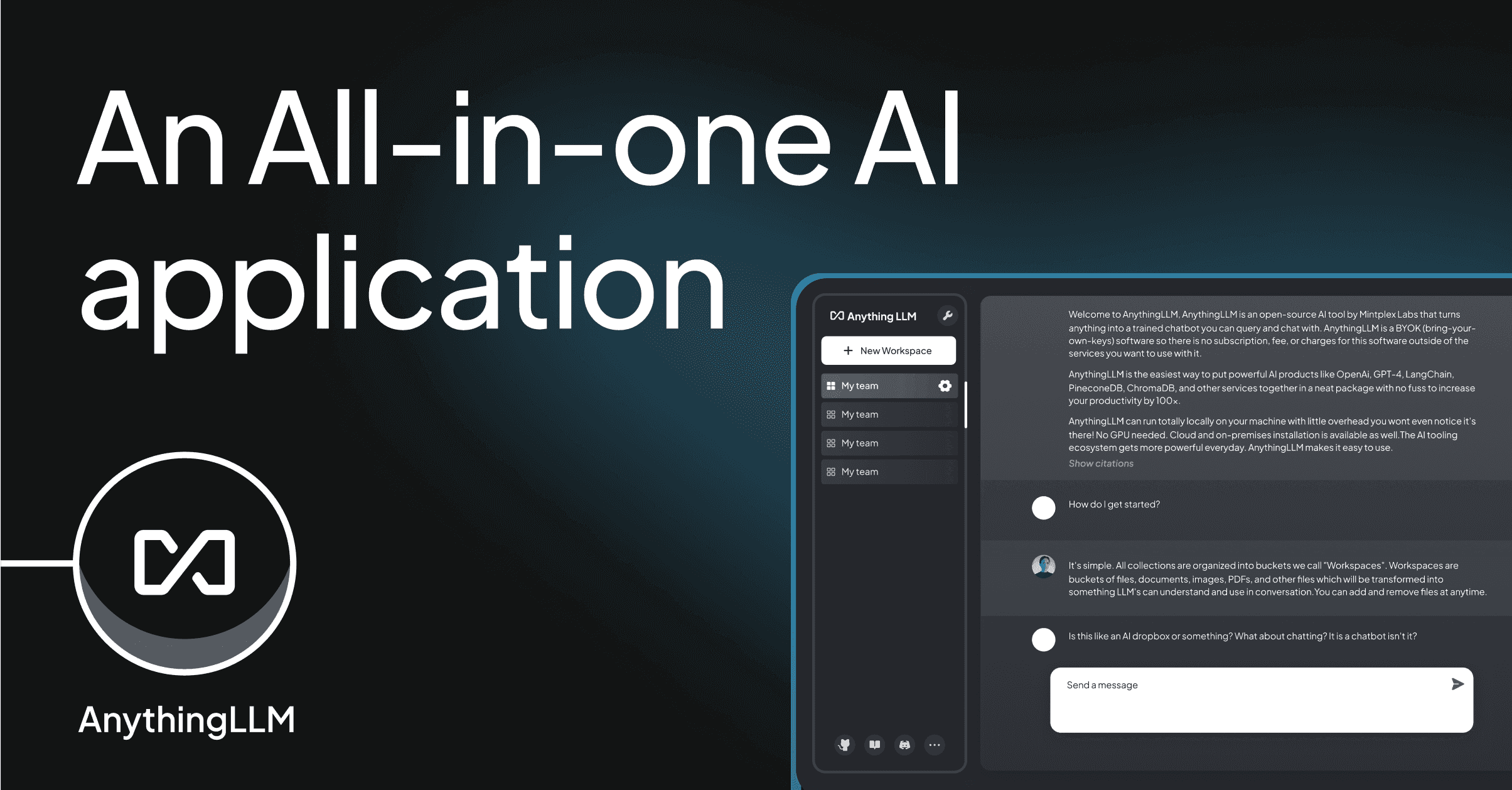
AnythingLLM paling dekat dalam semangat dengan Open WebUI: ruang kerja self-hosted tempat Anda menghubungkan backend model (Ollama, LM Studio, OpenAI, Azure, lainnya), mengunggah dokumen, dan chat dengan mereka. Runtime agen mendukung alat, plugin, dan browsing web dari kotak. Build desktop native melewati Docker sepenuhnya sambil menyimpan varian Docker untuk deployment tim.
Di mana ia jatuh pendek: UI menunjukkan jahitan open-source lebih dari Open WebUI. Pilihan penyimpan vektor mendorong ke arah LanceDB; menukar dimungkinkan tetapi tidak mulus. Penulisan alat menggunakan runtime JS khusus daripada MCP.
Harga:
- Gratis: ya, lisensi MIT
- Berbayar: AnythingLLM Cloud, paket tim $50/bulan
- vs Open WebUI: fokus RAG serupa, instalasi desktop lebih mudah, pool plugin lebih kecil
Migrasi dari Open WebUI: Ekspor dokumen basis pengetahuan Anda dan masukkan kembali ke ruang kerja AnythingLLM. Instalasi Ollama yang ada terhubung dengan pengaturan endpoint tunggal.
Unduh: AnythingLLM (Windows, macOS, Linux)
Bottom line: Pilih ini ketika Anda menginginkan workflow dokumen Open WebUI tanpa manajemen kontainer.
Text Generation WebUI — Terbaik untuk tinkering model
Text Generation WebUI (oobabooga) adalah proyek yang memulai frontend LLM lokal yang serius. Antarmuka padat dengan desain: setiap sampler, setiap flag kuant, setiap loader adalah tombol yang dapat Anda putar. Fitur baru seperti template instruksi dan memori chat mendarat pada 2025, tetapi daya tariknya masih dalam kedalaman, bukan polishing.
Di mana ia jatuh pendek: Setup adalah tari instalasi Python. UI fungsional, bukan cantik. RAG dan workflow dokumen adalah pikiran sekunder dibandingkan dengan Open WebUI.
Harga:
- Gratis: ya, AGPL
- Berbayar: tidak
- vs Open WebUI: kontrol model lebih dalam, lebih ringan pada fitur ruang kerja
Migrasi dari Open WebUI: Gunakan kembali file model Ollama atau llama.cpp Anda secara langsung. Sebagian besar template prompt Anda copy over tanpa perubahan; default sampler lebih ketat, jadi tune ulang mereka setelah generasi pertama terlihat mati.
Unduh: Text Generation WebUI di GitHub
Bottom line: Pilih ini ketika Anda menginginkan paling banyak tombol di stack model lokal Anda dan Anda baik-baik saja membaca wiki untuk menemukannya.
GPT4All — Terbaik untuk chat desktop ringan
GPT4All menjalankan katalog kurasi model kecil-ke-menengah pada hardware konsumen dengan setup hampir nol. Tim Nomic fokus pada kinerja CPU, jadi aplikasi benar-benar berjalan di laptop lima tahun. Fitur dokumen lokal (“LocalDocs”) mengindeks folder untuk pengambilan tanpa manajemen database yang Open WebUI tuntut.
Di mana ia jatuh pendek: Katalog model lebih kecil dari alam semesta Hugging Face yang lebih luas. Belum ada dukungan MCP. Agen dan penggunaan alat tidak dalam cakupan.
Harga:
- Gratis: ya, MIT untuk klien
- Berbayar: GPT4All Cloud untuk tim, harga khusus
- vs Open WebUI: lebih ringan, lebih sempit, lebih mudah
Migrasi dari Open WebUI: Bawa file GGUF Anda ke direktori model GPT4All. Fitur LocalDocs menggantikan basis pengetahuan dasar Open WebUI; koleksi lebih besar harus tetap di AnythingLLM.
Unduh: GPT4All (Windows, macOS, Linux)
Bottom line: Pilih ini ketika Anda menginginkan chat lokal di laptop tanpa rencana GPU.
LibreChat — Terbaik untuk inbox terpadu multi-provider
LibreChat adalah frontend self-hosted bergaya ChatGPT yang menghadap setiap penyedia besar plus backend lokal. Rilis 2025 menambahkan agen, code interpreter via sandbox, dan proper conversation forking. Ini menghubungkan ke Ollama dengan var env tunggal jika Anda menginginkan setup hanya-lokal yang biasanya diisi Open WebUI.
Di mana ia jatuh pendek: Instalasi server lebih berat daripada Jan atau LM Studio. Ketergantungan MongoDB tidak dapat dinegosiasikan. RAG dokumen ada tetapi pipeline Open WebUI masih di depan.
Harga:
- Gratis: ya, MIT
- Berbayar: tidak, hanya self-host
- vs Open WebUI: lebih banyak integrasi penyedia, alur kerja pipeline kurang polished
Migrasi dari Open WebUI: Arahkan OLLAMA_HOST LibreChat ke endpoint yang sama. Percakapan tidak ditransfer; baik terus jalankan keduanya secara parallel selama switch, atau ekspor chat Open WebUI ke markdown.
Unduh: LibreChat di GitHub
Bottom line: Pilih ini ketika Anda berbicara dengan lima penyedia sehari dan menginginkan inbox tunggal untuk semuanya.
Big-AGI — UI browser cantik terbaik untuk API apapun
Big-AGI adalah frontend yang banyak dev berakhir dengan ketika mereka lelah dengan panel admin Open WebUI. Antarmuka cepat, pustaka prompt built-in, dan backend OpenAI-kompatibel berarti bekerja dengan apa pun yang berbicara API itu, termasuk Ollama. Cabang 2.x menambahkan Beam (perbandingan respons paralel) dan lampiran yang tepat.
Di mana ia jatuh pendek: Tidak ada runtime agen first-party. RAG bukan fokusnya. Dukungan multi-user minimal dibandingkan dengan Open WebUI.
Harga:
- Gratis: ya, MIT
- Berbayar: tidak
- vs Open WebUI: UI lebih bersih, fitur tim lebih sedikit
Migrasi dari Open WebUI: Lepaskan endpoint OpenAI-kompatibel Anda ke pengaturan Big-AGI. Model dan percakapan tetap terpisah, jadi rencanakan jendela transisi jika Anda tidak ingin kehilangan thread lama.
Unduh: Big-AGI di GitHub
Bottom line: Pilih ini ketika Anda menginginkan frontend cepat untuk server Ollama atau LM Studio yang sudah Anda jalankan.
Cara memilih
Pilih LM Studio jika Anda menginginkan setup LLM lokal dengan satu klik dan tidak peduli bahwa itu sumber tertutup. Pilih Jan jika Anda membutuhkan hal yang sama tetapi terbuka. Pilih AnythingLLM ketika RAG dokumen dan model ruang kerja cocok dengan apa yang Anda bangun Open WebUI untuk. Pilih Text Generation WebUI jika Anda tune sampler untuk hidup dan UI padat tidak mengganggu Anda. Pilih GPT4All di laptop di mana Docker tidak patut dijalankan. Pilih LibreChat jika hari Anda melibatkan lebih banyak penyedia cloud daripada model lokal. Pilih Big-AGI ketika Anda sudah memiliki server LLM lokal dan Anda hanya menginginkan UI browser yang lebih cepat dan lebih bersih di depannya.
Tetap di Open WebUI jika stack Anda sudah hidup dalam file Compose homelab dan tim Anda mengandalkan pipeline dan basis pengetahuannya. Tidak satupun alternatif di sini yang melebihi Open WebUI pada ruang kerja multi-user dan workflow dokumen secara bersamaan.
FAQ
Apa alternatif terbaik untuk Open WebUI?
LM Studio adalah alternatif terbaik untuk sebagian besar pengguna desktop. Ia berjalan native, tidak memerlukan Docker, dan cocok dengan Open WebUI untuk kualitas chat. Pilih Jan jika Anda menginginkan pengalaman yang sama di bawah lisensi open-source, atau AnythingLLM jika RAG dokumen adalah alasan utama Anda menjalankan Open WebUI.
Apakah ada alternatif Open WebUI gratis?
Ya. Jan, AnythingLLM, Text Generation WebUI, GPT4All, LibreChat, dan Big-AGI semuanya gratis dan open-source. LM Studio adalah sumber tertutup tetapi gratis untuk penggunaan pribadi.
Bisakah saya menggunakan model Ollama saya dengan alternatif ini?
Sebagian besar dari mereka, ya. LM Studio menjalankan backend-nya sendiri tetapi membaca file GGUF yang sama. AnythingLLM, LibreChat, Big-AGI, dan Text Generation WebUI semuanya mendukung Ollama sebagai backend jarak jauh melalui pengaturan endpoint tunggal.
Alternatif Open WebUI mana yang berjalan tanpa Docker?
LM Studio, Jan, GPT4All, dan AnythingLLM (build desktop) semuanya memasang sebagai aplikasi native. Text Generation WebUI berjalan via Python tanpa kontainer tetapi masih menginginkan virtualenv.
Apa alternatif Open WebUI terbaik untuk hardware low-end?
GPT4All. Ini dioptimalkan untuk CPU dan dikirim dengan model default lebih kecil yang disesuaikan untuk laptop tanpa GPU diskrit. Jan adalah pilihan kedua jika Anda menginginkan sumber terbuka.