Google Workspace nyaman karena Gmail, Drive, Docs, Calendar, Meet, dan alat admin bekerja bersama. Komprominya, banyak pengguna dan bisnis Eropa sekarang ingin lebih banyak kontrol atas tempat data kerja di-host, bagaimana dokumen diproses, dan apakah alat kolaborasi memenuhi persyaratan GDPR serta kedaulatan digital mereka.
Panduan ini membandingkan alternatif Eropa terbaik untuk Google Workspace bagi individu, startup, dan organisasi yang membutuhkan email, dokumen, penyimpanan cloud, kalender, kontak, dan kolaborasi tim tanpa default ke suite hyperscale AS. Jika pencarian Anda lebih sempit, panduan terkait kami mencakup alternatif Gmail, alternatif Google Drive, alternatif Google Docs, alternatif Google Sheets, dan aplikasi privasi.
Apa yang dihitung sebagai alternatif Eropa untuk Google Workspace
Suite kantor cloud Eropa yang baik melakukan lebih dari menaruh server di Eropa. Kami mencari alat yang memenuhi setidaknya salah satu uji praktis ini:
- Perusahaan berkantor pusat di Eropa, atau perangkat lunak adalah proyek open source yang dipimpin Eropa dengan dukungan bisnis serius.
- Produk dapat menggantikan satu atau lebih tugas inti Google Workspace: email, dokumen, penyimpanan, kalender, kontak, rapat, chat, atau admin.
- Vendor menerbitkan informasi jelas tentang privasi, penanganan data, hosting, self-hosting, atau dukungan bisnis.
- Produk aktif dirawat dan memiliki jalur nyata untuk penggunaan individu atau penyebaran bisnis.
Tidak ada opsi di sini yang merupakan klon Google Workspace sempurna dalam satu klik. Infomaniak kSuite dan Proton Workspace adalah bundel terkelola terdekat. Nextcloud Hub adalah platform self-hosted terkuat. ONLYOFFICE dan Collabora Online paling baik diperlakukan sebagai mesin dokumen di dalam tumpukan yang lebih luas.
Perbandingan singkat
| Alat | Asal | Kasus penggunaan terbaik | Dokumen | Penyimpanan | Kalender dan kontak | Kolaborasi tim | Privasi dan penanganan data | Self-hosting | Kesiapan bisnis | Dukungan bahasa | Gratis atau berbayar | Keterbatasan utama | |
|---|---|---|---|---|---|---|---|---|---|---|---|---|---|
| Infomaniak kSuite | Swiss | Pengganti Google Workspace Eropa terkelola | Ya | Ya, melalui ONLYOFFICE dan pengeditan kompatibel Office | kDrive | Ya | kChat, kMeet, berbagi, admin | Dikembangkan dan di-host di Swiss, posisi GDPR dan FADP Swiss | Tidak, cloud terkelola | Kuat untuk bisnis kecil dan tim | Dukungan bahasa Eropa kuat, antarmuka dilokalkan luas | kSuite pribadi gratis; kSuite Pro berbayar | Bukan self-hosted |
| Nextcloud Hub | Jerman | Kolaborasi cloud berdaulat self-hosted | Klien mail dengan server mail eksternal | Nextcloud Office dengan pengeditan berbasis Collabora | Nextcloud Files | Ya | Talk, file, groupware, aplikasi, alat workflow | Lokasi data bergantung pada server atau penyedia Anda | Ya | Kuat jika IT dapat mengoperasikannya; dukungan enterprise tersedia | Lokalisasi komunitas luas | Self-hosted gratis; enterprise/dukungan berbayar | Memerlukan kepemilikan infrastruktur |
| Proton Workspace | Swiss | Mail, penyimpanan, dokumen, dan kalender yang mengutamakan privasi | Ya | Proton Docs dan Sheets | Proton Drive | Ya | Berbagi, admin bisnis, Meet pada paket bisnis | Enkripsi ujung ke ujung secara bawaan untuk data kolaborasi inti, yurisdiksi Swiss | Tidak | Berkembang cepat untuk tim | Lokalisasi produk luas, terkuat untuk privasi individu dan tim | Tingkat pribadi gratis; paket pribadi dan bisnis berbayar | Pengeditan kantor kurang matang daripada Google Docs atau Microsoft Office |
| Tuta Mail | Jerman | Pengganti Gmail dan kalender terenkripsi | Ya | Tidak ada editor kantor penuh | Penyimpanan mail; bukan pengganti Drive penuh | Ya | Kotak surat bersama, branding, admin pada paket bisnis | Mail, kalender, kontak terenkripsi ujung ke ujung, server Jerman | Tidak ada self-hosting server; klien open source | Baik untuk bisnis berfokus email | Banyak bahasa UI | Pribadi gratis; paket pribadi dan bisnis berbayar | Bukan suite produktivitas penuh |
| Mailbox.org | Jerman | Suite email Eropa berbasis standar | Ya | Modul Office | Drive | Ya | Meet, admin, dukungan migrasi | Server di Jerman, GDPR, klaim ISO 27001 dan BSI C5 | Tidak | Kuat untuk UKM dan pembeli gaya sektor publik | Lokalisasi webmail/groupware luas | Uji coba 30 hari; paket pribadi dan bisnis berbayar | Pengeditan dokumen kurang halus daripada Google Docs |
| Open-Xchange OX App Suite | Jerman | White-label penyedia, telco, dan workspace sektor publik | Ya | Dokumen | Drive | Ya | Tugas, admin, alat penyedia, integrasi | Dapat diterapkan di cloud atau on-premise oleh penyedia layanan | Ya, untuk penyedia dan penyebaran besar | Kuat untuk penyedia layanan dan sektor publik | Dirancang untuk populasi pengguna akhir besar | Berbasis penjualan | Biasanya tidak dibeli langsung oleh tim kecil |
| ONLYOFFICE | Latvia | Pengeditan dokumen kantor dan pengganti Google Docs | Workspace punya modul mail, Docs tidak | Ya | DocSpace atau penyimpanan terhubung | Modul Workspace, tergantung penyebaran | Co-editing, komentar, ruang, integrasi | Open source, posisi GDPR, opsi penyebaran server privat | Ya | Kuat sebagai mesin dokumen untuk Nextcloud, ownCloud, atau DocSpace | Lokalisasi aplikasi luas | Aplikasi gratis dan build komunitas; cloud dan enterprise berbayar | Perlu suite lain untuk email/kalender jika hanya memakai Docs |
| Collabora Online | Inggris Raya dan ekosistem open source Eropa | Kolaborasi dokumen kompatibel LibreOffice | Tidak | Ya | Memakai penyimpanan terhubung | Tidak ada groupware asli | Terintegrasi dengan Nextcloud, ownCloud, Open-Xchange, dan lainnya | Open source, posisi GDPR, data tetap di infrastruktur pilihan | Ya | Kuat untuk sektor publik dan tumpukan open source terkelola | Dukungan bahasa turunan LibreOffice luas | CODE gratis untuk pengujian; paket didukung berbayar | Edisi pengembangan bukan untuk produksi |
| CryptPad | Prancis | Dokumen kolaboratif terenkripsi ujung ke ujung untuk tim kecil | Tidak | Ya | CryptDrive | Kalender dan fitur tim | Dokumen, lembar, formulir, kanban real-time | Enkripsi di sisi browser; administrator tidak dapat membaca isi dokumen | Ya | Baik untuk kolaborasi sensitif, lebih ringan untuk IT formal | Proyek open source multibahasa | Instans publik dan self-hosting gratis; hosting dan enterprise berbayar | Bukan suite email atau admin penuh |
Alternatif Eropa terbaik untuk Google Workspace di 2026
1. Infomaniak kSuite: alternatif Google Workspace Eropa terkelola terbaik
Infomaniak kSuite adalah pengganti terkelola terdekat untuk bisnis yang menginginkan suite kantor cloud Eropa tanpa menjalankan server. Infomaniak berbasis di Swiss, dan halaman kSuite mencantumkan Mail, kDrive, kChat, kMeet, Calendar, Contacts, Docs, Grids, dan Points dalam satu akun.
Bagi pengguna yang mencari alternatif Google Workspace di Eropa, keunggulan praktisnya adalah pengemasan. kSuite menggabungkan alternatif Gmail Eropa, alternatif Google Drive yang dapat dipakai pembeli Eropa dengan hosting Swiss, dan pengeditan dokumen kompatibel Office. Infomaniak menyatakan kSuite dikembangkan dan di-host di Swiss, patuh GDPR dan FADP Swiss, dan didukung pusat data Swiss sendiri.
kSuite juga punya titik masuk pribadi yang jelas. kSuite pribadi gratis mencakup alamat email, 20 GB untuk email, dan 15 GB penyimpanan cloud. kSuite Pro adalah tingkat bisnis dengan penagihan terpusat, kolaborasi tim, penyimpanan email tak terbatas, dan hingga 6 TB penyimpanan cloud per pengguna menurut halaman paket Infomaniak yang dipublikasikan.
Kekuatan: Suite koheren, berfokus privasi, dan lebih mudah diadopsi daripada self-hosting. kDrive punya aplikasi seluler dan desktop, dan kSuite Pro menambahkan bagian bisnis yang tidak dibutuhkan individu.
Keterbatasan: Bukan self-hosted. Jika kebijakan Anda mengharuskan menjalankan layanan di infrastruktur sendiri, Nextcloud Hub lebih cocok. kSuite juga bergantung pada OnlyOffice untuk pengeditan dokumen online, bukan klon Google Docs yang dibangun dari nol.
Terbaik untuk: Bisnis kecil, agensi, nirlaba, dan tim yang menginginkan hosting cloud Eropa terkelola dengan mail, drive, rapat, chat, dan pengeditan dokumen.
Gunakan: kSuite, kDrive, daftar Aptoide
Kesimpulan: Pilih Infomaniak kSuite terlebih dahulu jika Anda menginginkan alternatif Eropa terkelola paling sederhana untuk Google Workspace.
2. Nextcloud Hub: platform kolaborasi cloud berdaulat self-hosted terbaik
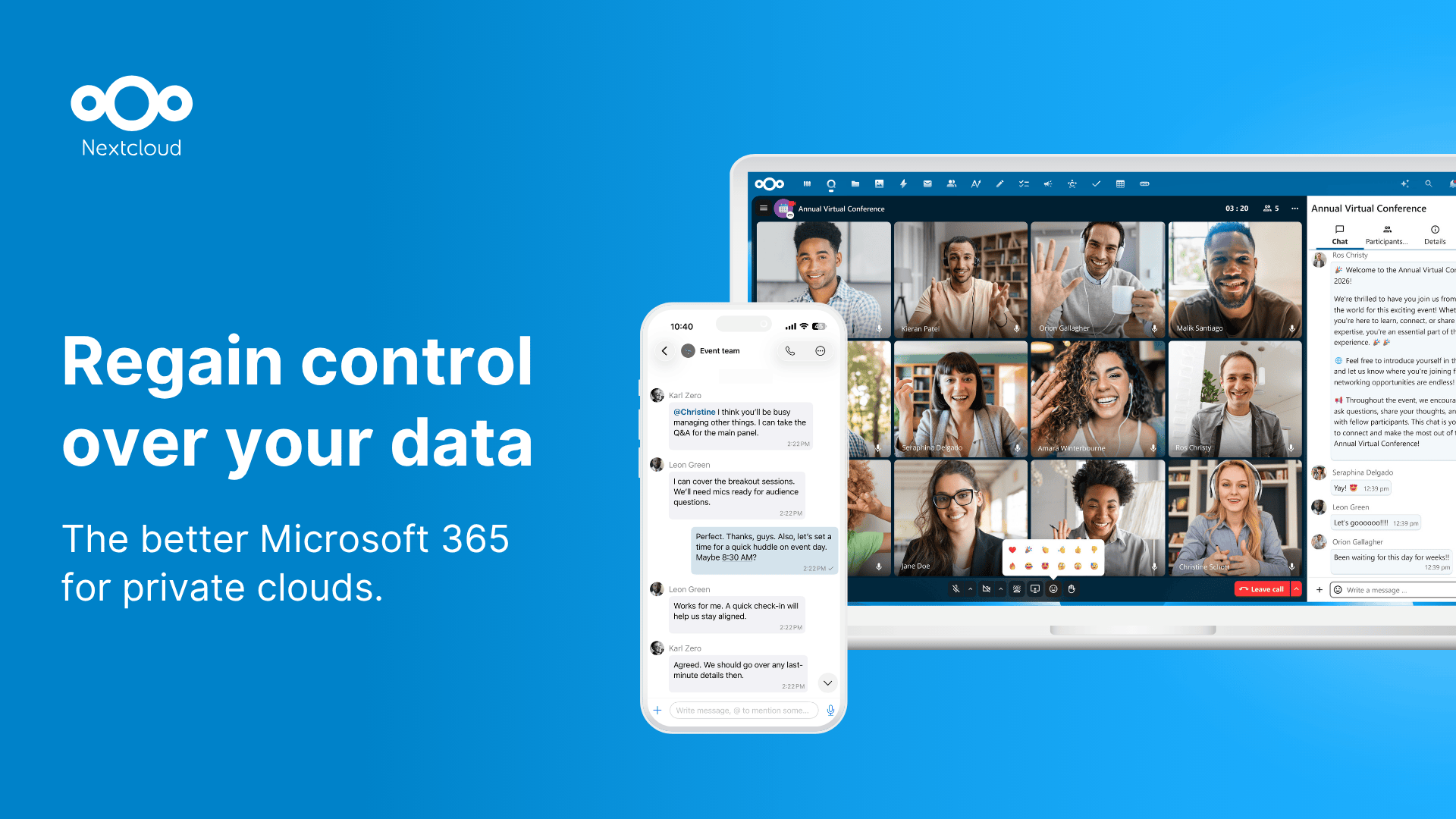
Nextcloud Hub adalah pilihan terkuat ketika persyaratannya adalah kontrol. Nextcloud GmbH berbasis di Jerman, dan Nextcloud Hub menggabungkan Files, Talk, Groupware, Office, Assistant, dan otomatisasi dalam satu workspace modular.
Perbedaan kunci dari Google Workspace adalah penyebaran. Nextcloud menyatakan Hub dapat berjalan on-premises, dengan penyedia hosting tepercaya, atau dalam setup hibrida. Itu menjadikannya salah satu alat kolaborasi cloud berdaulat paling jelas bagi organisasi yang perlu memutuskan di mana data berada, siapa yang mengadministrasikannya, dan penyedia mana yang dapat mengaksesnya.
Nextcloud mencakup sinkronisasi file, berbagi, klien desktop dan seluler, chat, video, kalender, kontak, dan integrasi mail. Untuk pengeditan dokumen, biasanya mengandalkan Collabora Online melalui Nextcloud Office atau integrasi seperti ONLYOFFICE. Modularitas itu berguna, tetapi kualitas setup akhir bergantung pada tim admin dan penyedia hosting.
Kekuatan: Self-hosting, kode open source, ekosistem aplikasi luas, integrasi kuat dengan groupware, file, dan pengeditan kantor.
Keterbatasan: Nextcloud bukan pengganti daftar dan langsung pakai kecuali Anda memilih penyedia terkelola. Performa, cadangan, upgrade, integrasi identitas, dan kebijakan penyimpanan menjadi tanggung jawab Anda.
Terbaik untuk: Organisasi yang membutuhkan self-hosting, sekolah, pembeli sektor publik, perusahaan teregulasi, dan tim teknis dengan kepemilikan infrastruktur.
Gunakan: Nextcloud Hub, Nextcloud Enterprise, Nextcloud privacy
Kesimpulan: Pilih Nextcloud Hub ketika kedaulatan digital berarti memiliki penyebaran, bukan hanya memilih vendor Eropa.
3. Proton Workspace: bundel terbaik yang mengutamakan privasi untuk mail, drive, dokumen, dan kalender
Proton Workspace kini adalah alternatif Google Workspace serius yang mengutamakan privasi bagi tim yang menghargai komunikasi terenkripsi di atas kedalaman fitur Office. Proton berbasis di Swiss, dan halaman bisnis memosisikan Proton Workspace sebagai alternatif privacy-first untuk Google Workspace dan Microsoft 365.
Bundel mencakup Proton Mail, Calendar, Drive, Docs, Sheets, Meet, VPN, Pass, dan fitur administrasi bisnis tergantung paket. Proton menyatakan suite melindungi data bisnis dengan enkripsi ujung ke ujung, yurisdiksi Swiss, dan dukungan kepatuhan seperti klaim ISO 27001, SOC 2 Type II, HIPAA, CCPA, dan GDPR.
Untuk individu, Proton adalah alternatif Gmail Eropa kuat dan alternatif Google Drive yang ramah privasi. Untuk perusahaan, pertanyaan yang lebih relevan adalah apakah Proton Docs dan Sheets mencukupi alur dokumen. Keduanya membaik, tetapi masih lebih muda daripada Google Docs, Sheets, atau mesin kantor self-hosted yang matang.
Kekuatan: Model privasi kuat, mail dan penyimpanan terenkripsi, email domain kustom, alat impor, dan lapisan dokumen yang berkembang.
Keterbatasan: Tidak ada self-hosting. Pengguna spreadsheet berat dan tim dengan templat dokumen kompleks harus menguji Proton Docs dan Sheets sebelum migrasi.
Terbaik untuk: Individu, startup, tim hukum/keuangan, jurnalis, nirlaba, dan tim berfokus privasi yang membutuhkan email terenkripsi plus kolaborasi file aman.
Gunakan: Proton for Business, Proton pricing, Proton Drive
Kesimpulan: Pilih Proton jika privasi adalah alasan Anda meninggalkan Google Workspace.
4. Tuta Mail: alternatif Gmail Eropa terenkripsi terbaik
Tuta Mail bukan pengganti Google Workspace penuh, tetapi salah satu pilihan alternatif Gmail Eropa terkuat bagi pengguna yang terutama membutuhkan email terenkripsi, kalender, kontak, domain kustom, dan administrasi tim. Tuta berbasis di Jerman dan menyatakan semua data pengguna disimpan di server sendiri di pusat data bersertifikat ISO 27001 di Jerman.
Halaman bisnis Tuta mencantumkan domain kustom, kotak surat bersama, branding, beberapa administrator, berbagi kalender, impor email, perjanjian pemrosesan data GDPR, dan paket bisnis mulai EUR 6 per pengguna per bulan saat dibayar tahunan. Tuta juga menyatakan email, kalender, kontak, baris subjek, dan data buku alamat dienkripsi.
Cocoknya sempit tetapi jelas. Jika organisasi meminta suite produktivitas ramah GDPR karena Gmail adalah masalahnya, Tuta menyelesaikan bagian email dan kalender dengan baik. Jika tim membutuhkan Docs, Sheets, penyimpanan bergaya Drive, rapat video, dan otomatisasi workflow, pasangkan Tuta dengan alat lain atau pilih kSuite, Proton, Nextcloud, atau Mailbox.org.
Kekuatan: Privasi email kuat, kalender dan kontak terenkripsi, klien open source, domain kustom, dan hosting Jerman.
Keterbatasan: Tidak ada suite kantor bergaya Google Docs penuh. Self-hosting layanan tidak tersedia.
Terbaik untuk: Individu berfokus privasi, freelancer, tim kecil, nirlaba, dan perusahaan yang terutama membutuhkan email dan kalender aman.
Gunakan: Tuta Business, Tuta pricing, Tuta open source
Kesimpulan: Pilih Tuta ketika mengganti Gmail lebih penting daripada mengganti setiap aplikasi Google Workspace.
5. Mailbox.org: suite email dan kantor Eropa berbasis standar terbaik
Mailbox.org adalah penyedia email dan workspace digital Jerman untuk pengguna pribadi, UKM, pembeli sektor publik, dan organisasi yang lebih suka alat berbasis standar. Halaman bisnis mencantumkan Mail, Drive, Meet, Office, dan Admin dalam satu layanan.
Mailbox.org sangat praktis bagi bisnis yang menginginkan hosting email terkelola tanpa ketergantungan Big Tech. Perusahaan menyatakan data tetap di Eropa, layanan di-host di server sendiri di Jerman, dan memiliki sertifikasi ISO 27001 serta pengujian BSI C5. Paket bisnis mulai EUR 1 per pengguna per bulan untuk Light, Standard EUR 3, dan Premium EUR 9 per pengguna per bulan sebelum PPN.
Paket Standard dan Premium menambahkan Drive, kalender dan buku alamat, Office, dan Meet. Mailbox.org juga menawarkan bantuan migrasi melalui Audriga untuk email, kalender, kontak, dan file cloud, yang penting bagi tim yang meninggalkan Gmail atau Microsoft 365.
Kekuatan: Harga awal rendah, hosting Jerman, email, kalender, kontak, drive, kantor, dan layanan migrasi yang matang.
Keterbatasan: Pengalaman kantor lebih seperti groupware konvensional daripada pengganti Google Docs yang halus. Ini hosting terkelola, bukan platform self-hosted.
Terbaik untuk: UKM, organisasi dekat sektor publik, keluarga sadar privasi, dan tim yang menginginkan email Jerman terkelola plus dasar kantor.
Gunakan: Mailbox.org Business, Mailbox.org private plans, Mailbox.org security
Kesimpulan: Pilih Mailbox.org jika Anda menginginkan suite produktivitas ramah GDPR yang praktis, dibangun di sekitar email kuat dan standar terbuka.
6. Open-Xchange OX App Suite: terbaik untuk penyedia layanan dan platform sektor publik
Open-Xchange OX App Suite berbeda dari alat konsumen dalam panduan ini. Terutama dijual ke penyedia hosting, telco, ISP, dan penyebaran sektor publik yang ingin menawarkan platform email, kalender, dokumen, penyimpanan, tugas, dan kolaborasi sendiri.
Open-Xchange adalah perusahaan Jerman dengan kantor di Cologne, Bremen, Hamburg, dan Olpe. Halaman OX App Suite menggambarkan platform email, produktivitas, dan kolaborasi white-label dengan email, kalender, dokumen, drive, tugas, alat penyedia, integrasi, dan penyebaran cloud atau on-premise. Perusahaan juga menonjolkan OX Guard untuk enkripsi berbasis OpenPGP dan operasi penyedia skala besar.
Untuk startup tipikal, OX mungkin terlalu berorientasi penyedia. Untuk perusahaan hosting Eropa, pemasok pemerintah, badan IT universitas, atau MSP, ini jauh lebih relevan karena memungkinkan penyedia memiliki merek, domain, hubungan pelanggan, dan model penyebaran.
Kekuatan: Email dan kolaborasi tingkat penyedia, white-label, penyebaran on-premise atau cloud, relevansi sektor publik, dan integrasi dengan alat penyimpanan dan dokumen seperti Nextcloud dan Collabora Online.
Keterbatasan: Berbasis penjualan dan berfokus operator. Sebagian besar bisnis kecil sebaiknya membeli layanan hosting yang dibangun di atas OX daripada mencoba mengprocure langsung.
Terbaik untuk: Penyedia hosting, telco, ISP, platform sektor publik, dan organisasi yang membangun workspace berdaulat untuk banyak pengguna.
Gunakan: OX App Suite, Open-Xchange company page, Open-Xchange locations
Kesimpulan: Pilih Open-Xchange ketika Anda perlu menyediakan layanan workspace Eropa, bukan hanya berlangganan.
7. ONLYOFFICE: alternatif Google Docs ramah privasi terbaik untuk file Office
ONLYOFFICE adalah salah satu opsi pengeditan dokumen terkuat jika penggunaan Google Workspace Anda berpusat pada Docs, Sheets, Slides, formulir PDF, komentar, tinjauan, dan kompatibilitas file Microsoft Office. ONLYOFFICE menyatakan dimiliki oleh Ascensio System SIA, perusahaan Latvia yang merupakan anak perusahaan OnlyOffice Capital Group Pte. Ltd., menurut FAQ resmi.
ONLYOFFICE Docs Enterprise mencakup dokumen, spreadsheet, presentasi, PDF, formulir, co-editing, komentar, riwayat versi, chat, dan integrasi panggilan audio/video. Dapat berjalan sebagai layanan cloud atau di server Anda sendiri, dan memiliki konektor untuk platform termasuk Nextcloud, ownCloud, Moodle, WordPress, dan lainnya.
Ini bukan jawaban mandiri terbaik jika Anda membutuhkan alternatif Gmail Eropa atau kalender. Paling baik sebagai lapisan kantor dalam tumpukan berdaulat: Nextcloud plus ONLYOFFICE, ownCloud plus ONLYOFFICE, atau ONLYOFFICE DocSpace untuk kolaborasi berbasis ruang.
Kekuatan: Fokus format Office sangat baik, self-hosting, aplikasi desktop dan seluler gratis, build komunitas open source, kolaborasi dokumen kuat.
Keterbatasan: ONLYOFFICE Docs saja tidak menggantikan Gmail, Calendar, atau Drive. Produk Workspace dan DocSpace mencakup lebih banyak, tetapi pembeli harus memilih penyebaran dengan hati-hati.
Terbaik untuk: Tim yang membutuhkan fidelitas dokumen, pengeditan dokumen self-hosted, integrasi Nextcloud, atau alternatif Google Docs ramah privasi.
Gunakan: ONLYOFFICE, ONLYOFFICE Docs Enterprise, ONLYOFFICE security
Kesimpulan: Pilih ONLYOFFICE ketika pengeditan dokumen adalah bagian tersulit meninggalkan Google Workspace.
8. Collabora Online: mesin dokumen kompatibel LibreOffice terbaik untuk tumpukan berdaulat
Collabora Online adalah lapisan dokumen kuat lain untuk kolaborasi ramah Eropa dan self-hosted. Collabora Productivity berbasis di Cambridge, Inggris Raya, dengan jejak open source Eropa luas, termasuk managing director Jerman dan keterlibatan mendalam di LibreOffice.
Halaman Collabora Online menggambarkan pengeditan kolaboratif untuk dokumen, spreadsheet, dan presentasi yang dapat terintegrasi ke infrastruktur yang ada. Mendukung format Microsoft Office dan OpenDocument, bekerja dengan Nextcloud dan platform lain, dan menekankan kedaulatan data karena dokumen tetap di infrastruktur pilihan.
Edisi CODE gratis Collabora berguna untuk pengujian, penggunaan rumah, atau tim kecil, tetapi Collabora secara eksplisit tidak merekomendasikannya untuk produksi. Bisnis harus memakai langganan Collabora Online yang didukung atau penyedia terkelola.
Kekuatan: Open source, kompatibilitas ODF dan Office kuat, integrasi Nextcloud, dukungan produksi, cocok untuk sektor publik.
Keterbatasan: Bukan suite penuh sendiri. Anda masih membutuhkan penyimpanan, identitas, email, kalender, dan admin di sekelilingnya.
Terbaik untuk: Organisasi yang membangun tumpukan kantor berdaulat dengan Nextcloud, ownCloud, Open-Xchange, atau platform Eropa lain.
Gunakan: Collabora Online, Collabora CODE, Collabora subscriptions
Kesimpulan: Pilih Collabora Online ketika tumpukan Anda membutuhkan editor dokumen open source matang di bawah kendali Anda.
9. CryptPad: dokumen kolaboratif terenkripsi terbaik untuk kerja tim kecil sensitif
CryptPad adalah suite kantor kolaboratif terenkripsi ujung ke ujung buatan Prancis yang dikembangkan di XWiki di Paris. Bukan pengganti Gmail atau Calendar, tetapi salah satu alternatif Google Docs paling ramah privasi untuk catatan sensitif, dokumen, spreadsheet, formulir, papan tulis, papan kanban, dan workspace bersama.
CryptPad mengenkripsi data di browser, sehingga isi dokumen yang dapat dibaca tidak meninggalkan perangkat pengguna. Halaman about menyatakan bahkan administrator layanan tidak dapat melihat isi dokumen atau data pengguna. Perangkat lunak sepenuhnya open source dan dapat di-self-host.
Model harga transparan. Instans publik dan self-hosting adalah opsi gratis. Paket berbayar CryptPad.fr menambahkan penyimpanan dan dukungan prioritas untuk individu, tim, dan organisasi, sementara instans enterprise terkelola mulai dari harga tahunan yang dipublikasikan.
Kekuatan: Kolaborasi terenkripsi ujung ke ujung, open source, self-hosting, berbagi anonim atau ringan, dokumen kuat untuk grup berfokus privasi.
Keterbatasan: Tidak ada email, tidak ada pengganti Gmail langsung, dan bukan suite admin enterprise luas seperti Google Workspace.
Terbaik untuk: Jurnalis, LSM, sekolah, kelompok aktivis, tim berfokus privasi, dan tim kecil yang membutuhkan dokumen kolaboratif privat.
Gunakan: CryptPad, CryptPad pricing, CryptPad about
Kesimpulan: Pilih CryptPad ketika kerahasiaan dokumen lebih penting daripada kelengkapan suite.
Cara memilih menurut profil pengguna
Pengguna individu
Pilih Proton jika email privat, penyimpanan cloud terenkripsi, dan berbagi dokumen sederhana adalah prioritas. Pilih Infomaniak my kSuite jika Anda menginginkan mail Eropa gratis dan penyimpanan kDrive dalam satu akun. Pilih Tuta Mail jika Anda terutama membutuhkan kotak masuk dan kalender privat.
Bisnis kecil
Pilih Infomaniak kSuite jika Anda menginginkan pengganti Workspace Eropa terkelola dengan gesekan terendah. Pilih Mailbox.org jika email berbasis standar, kalender, drive, kantor, dan dukungan migrasi lebih penting daripada antarmuka dokumen yang sangat halus. Pilih Proton Workspace jika enkripsi lebih penting daripada pengeditan kantor lanjutan.
Startup
Pilih Proton Workspace jika startup Anda menangani data pelanggan sensitif, dokumen hukum, atau komunikasi investor. Pilih kSuite Pro jika Anda menginginkan suite kantor cloud Eropa terkelola dengan chat, rapat, drive, dan pengeditan dokumen. Pilih Nextcloud Hub hanya jika tim Anda punya seseorang yang siap memiliki infrastruktur.
Tim berfokus privasi
Pilih Tuta Mail untuk email dan kalender terenkripsi. Tambahkan CryptPad untuk dokumen kolaboratif terenkripsi jika Anda tidak membutuhkan suite kantor penuh. Pilih Proton Workspace ketika Anda menginginkan satu vendor untuk mail, kalender, drive, dokumen, dan berbagi aman.
Organisasi yang membutuhkan self-hosting
Pilih Nextcloud Hub sebagai dasar. Tambahkan Collabora Online atau ONLYOFFICE untuk pengeditan dokumen, dan pertimbangkan Open-Xchange jika Anda membangun platform email dan kolaborasi skala penyedia.
Perusahaan yang membutuhkan hosting cloud Eropa terkelola
Pilih Infomaniak kSuite terlebih dahulu. Bandingkan Mailbox.org jika email dan standar terbuka sentral. Bandingkan Proton Workspace jika enkripsi dan privasi Swiss sentral. Hindari tumpukan self-hosted kecuali Anda punya kapasitas IT internal atau MSP tepercaya.
Daftar periksa migrasi sebelum meninggalkan Google Workspace
Sebelum beralih, petakan pekerjaan yang saat ini ditangani Google untuk Anda:
- Gmail: domain kustom, kotak masuk bersama, alias, routing, retensi, filter spam, DKIM, SPF, dan DMARC.
- Drive: drive bersama, tautan eksternal, sinkronisasi desktop, akses seluler, file offline, dan kuota penyimpanan.
- Docs, Sheets, Slides: templat dokumen, komentar, riwayat versi, kompatibilitas format Office, dan pengeditan real-time.
- Calendar dan contacts: kalender bersama, halaman pemesanan, sumber daya, undangan eksternal, dan dukungan CardDAV atau CalDAV.
- Admin: SSO, kebijakan dua faktor, log audit, siklus hidup pengguna, grup, ekspor data, dan alat migrasi.
Lalu uji dengan pekerjaan nyata. Pindahkan folder bersama, spreadsheet kompleks, kalender berulang, dan satu alur kolaborasi eksternal. Suite produktivitas ramah GDPR hanya berguna jika alur kerja harian bertahan setelah pindah.
FAQ
Apa alternatif Eropa terbaik untuk Google Workspace?
Infomaniak kSuite adalah pilihan pertama terbaik bagi sebagian besar tim yang menginginkan alternatif Eropa terkelola untuk Google Workspace. Ini menggabungkan email, penyimpanan kDrive, pengeditan dokumen, kalender, kontak, chat, rapat, dan administrasi tim dalam layanan ber-hosting Swiss. Nextcloud Hub lebih baik jika self-hosting diperlukan.
Apakah ada suite produktivitas ramah GDPR di Eropa?
Ya. Infomaniak kSuite, Mailbox.org, Proton Workspace, Nextcloud Hub, dan beberapa kombinasi self-hosted dapat dikonfigurasi sebagai suite produktivitas ramah GDPR. Bagian pentingnya adalah kontrak dan penyebaran: periksa perjanjian pemrosesan data, lokasi hosting, subprosesor, pengaturan retensi, kontrol akses, dan jalur migrasi.
Apa alternatif Gmail Eropa terbaik?
Proton Mail, Tuta Mail, Mailbox.org, dan Infomaniak Mail adalah alternatif Gmail Eropa terkuat dalam panduan ini. Proton dan Tuta terbaik untuk pengguna yang mengutamakan enkripsi. Mailbox.org dan Infomaniak lebih baik jika Anda menginginkan email di dalam suite produktivitas terkelola yang lebih luas.
Apa alternatif Google Drive terbaik di Eropa?
Infomaniak kDrive adalah alternatif Google Drive Eropa terkelola paling sederhana bagi sebagian besar pengguna. Proton Drive lebih kuat untuk penyimpanan terenkripsi. Nextcloud Files adalah opsi terbaik ketika Anda membutuhkan penyimpanan self-hosted atau di-host penyedia di bawah kebijakan Anda sendiri.
Bisakah bisnis self-host alternatif Google Workspace?
Ya. Rute paling praktis adalah Nextcloud Hub plus Collabora Online atau ONLYOFFICE untuk pengeditan dokumen. Penyedia lebih besar atau platform sektor publik juga dapat melihat Open-Xchange untuk layanan email dan produktivitas, tetapi itu produk tingkat penyedia, bukan langganan bisnis kecil sederhana.
Apakah suite kantor cloud Eropa selengkap Google Workspace?
Beberapa mendekati, tetapi komprominya berbeda. Infomaniak kSuite dan Proton Workspace mencakup banyak pekerjaan inti dalam satu langganan, sementara Nextcloud dapat mencakup lebih banyak jika diterapkan dengan benar. Google Workspace masih punya pengalaman default lebih mulus untuk dokumen real-time, pencarian, dan integrasi pihak ketiga, jadi tim harus menguji alur kerja nyata sebelum migrasi.