
Komik digital di Android terbagi ke tiga dunia yang berbeda: komik superhero Barat dari Marvel dan DC, manga Jepang dengan format gulir atau panel, serta webkomik dari kreator independen di platform khusus. Aplikasi yang cocok untuk satu kelompok sering kurang pas untuk yang lain — Marvel Unlimited tidak punya manga, WEBTOON tidak punya DC, CDisplay Ex mengharuskan Anda menyediakan file sendiri. Tujuh aplikasi di bawah ini mencakup ketiganya, dengan panduan jelas mana yang dipasang untuk kebiasaan membaca Anda.
Yang perlu dicari di aplikasi komik
Membaca komik punya beberapa kebutuhan yang ditangani pembaca umum dengan buruk:
- Navigasi per panel. Banyak aplikasi komik digital punya guided view — ketuk panel satu per satu alih-alih mem-zoom satu halaman penuh. Untuk buku Marvel dan DC yang diformat untuk cetak, ini membuat membaca di ponsel jauh lebih mudah.
- Gulir versus halaman. Manga dan webkomik biasanya dibaca dalam format gulir vertikal. Komik Barat lebih nyaman dengan mode membalik halaman. Aplikasi yang baik mendukung keduanya.
- Unduhan untuk offline. Perjalanan pesawat, commute dengan sinyal tidak stabil, atau tidak ingin streaming memakai kuota — semuanya membutuhkan unduhan offline. Tidak semua aplikasi menawarkan ini tanpa berlangganan.
- Ukuran perpustakaan dan lisensi. Kualitas langganan sepenuhnya ditentukan judul yang disertakan. Langganan ke aplikasi dengan katalog tipis tidak sebanding dengan harganya.
- Frekuensi pembaruan untuk serial berkelanjutan. Untuk manga mingguan atau komik bulanan, mengetahui kapan bab baru muncul di aplikasi sama pentingnya dengan apa yang sudah ada.
Perbandingan singkat
| Aplikasi | Paling cocok untuk | Perpustakaan | Baca gratis | Offline | Berlangganan |
|---|---|---|---|---|---|
| WEBTOON | Webkomik | 100.000+ webkomik | Ya (beriklan) | Ya (berbayar) | Opsional |
| ComiXology | Komik Barat | 200.000+ edisi | Pembelian | Ya (yang dibeli) | Kindle Unlimited |
| Marvel Unlimited | Arsip Marvel | 30.000+ edisi | Tidak | Ya (berbayar) | $9.99/bulan |
| Manga Plus | Manga resmi Shueisha | 10.000+ bab | Ya (bab pertama & terakhir) | Tidak | Gratis |
| Viz Manga | Manga resmi Viz | 10.000+ bab | Ya (pratinjau) | Ya (pelanggan) | $2.99/bulan |
| CDisplay Ex | File CBZ/CBR lokal | Koleksi Anda | Ya | Ya | Tidak ada |
| MangaToon | Manga & manhwa gratis | 5.000+ seri | Ya (beriklan) | Ya (koin) | Opsional |
7 aplikasi pembaca komik dan manga terbaik untuk Android di 2026
1. WEBTOON — terbaik untuk webkomik dan kreator indie
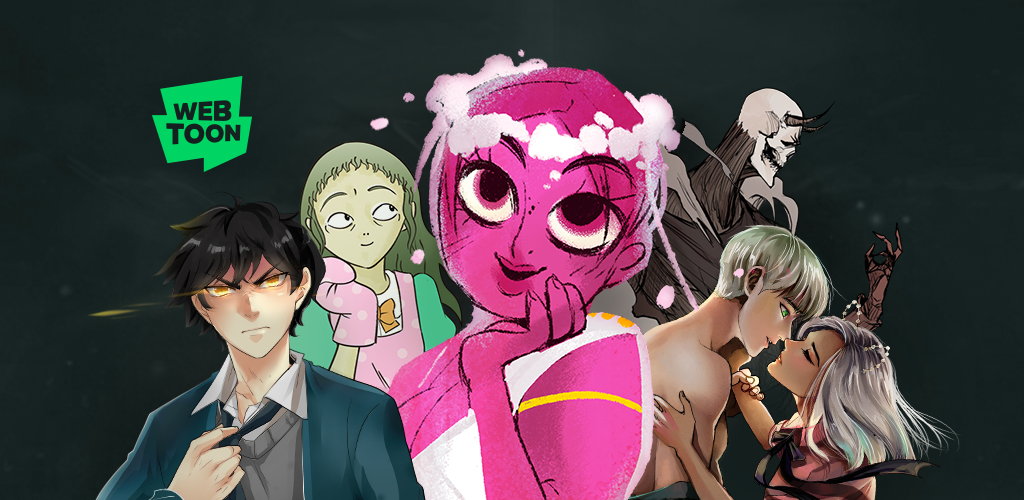
WEBTOON oleh Naver adalah platform webkomik terbesar di dunia, dengan lebih dari 100.000 seri dari kreator profesional dan amatir di setiap genre. Format gulir vertikal (“Infinite Canvas”) dirancang untuk membaca di ponsel dan berjalan mulus di berbagai ukuran layar. Untuk sebagian besar seri, membaca gratis dengan iklan; sistem Coins membuka episode lebih awal sebelum gratis. Langganan ke kreator memungkinkan Anda mendukung seniman tertentu secara langsung.
WEBTOON adalah pilihan ketika Anda ingin komik yang dibuat untuk layar ponsel — bukan adaptasi komik cetak, tetapi karya khusus untuk format vertikal di ponsel. Seri seperti Lore Olympus, True Beauty, dan Tower of God punya audiensi puluhan juta orang.
Kelemahan: Tidak ada konten superhero Barat. Tidak ada adaptasi manga cetak. Kualitas konten sangat bervariasi — dengan 100.000+ seri, rasio sinyal-derau membutuhkan usaha pencarian. Sistem Coins bisa terasa mengganjal di seri premium.
Harga:
- Gratis: semua episode tersedia (dengan jeda iklan atau waktu tunggu)
- Coins: beli untuk akses awal ke episode tertentu
Platform: Android, iOS, web
Kesimpulan: Pilihan utama untuk webkomik — lebih banyak konten gratis daripada platform lain, dan format gulir vertikal menjadi standar membaca komik yang mengutamakan ponsel.
2. ComiXology — terbaik untuk komik Barat
ComiXology (sekarang terintegrasi dengan Amazon) adalah toko komik digital Barat terbesar, mencakup Marvel, DC, Image, Dark Horse, IDW, Boom! Studios, dan ribuan penerbit independen. Edisi yang dibeli tetap milik Anda. Amazon Kindle Unlimited menyertakan pilihan novel grafis yang berputar jika Anda sudah berlangganan. Mode guided view bergerak panel demi panel secara otomatis, sehingga komik berformat cetak benar-benar bisa dibaca di ponsel.
Jika Anda membeli edisi Marvel atau DC satu per satu alih-alih berlangganan aplikasi khusus penerbit, ComiXology punya katalog paling lengkap.
Kelemahan: Aplikasi ini beberapa kali didesain ulang setelah akuisisi Amazon, dan versi saat ini kehilangan beberapa fitur yang dihargai pengguna lama. Tidak ada tingkat berlangganan untuk baca tanpa batas (di luar pilihan terbatas Kindle Unlimited). Pembelian terikat akun Amazon — bukan perpustakaan mandiri yang sepenuhnya “milik Anda” di luar ekosistem itu.
Harga:
- Unduh gratis; konten dibeli per edisi
- Pelanggan Kindle Unlimited mendapat akses ke katalog komik yang berputar
Platform: Android, iOS, web
Kesimpulan: Tempat terbaik membeli edisi komik Barat satu per satu di Android — guided view per panel membuat buku berformat cetak tetap terbaca di layar ponsel.
3. Marvel Unlimited — terbaik untuk arsip Marvel
Marvel Unlimited memberi pelanggan akses ke lebih dari 30.000 edisi komik Marvel dengan biaya bulanan atau tahunan tetap. Arsip mencakup era 1940-an dan semua rangkaian besar X-Men, Spider-Man, Avengers, hingga serial lengkap seperti rangkaian Avengers/New Avengers Hickman dan House of X/Powers of X. Edisi baru biasanya muncul sekitar enam bulan setelah rilis cetak.
Jika Anda ingin mendalami sejarah karakter atau mengejar satu rangkaian lengkap sebelum rilis Marvel, Unlimited jauh lebih murah daripada membeli edisi satu per satu.
Kelemahan: Konten DC tidak termasuk — hanya Marvel. Jeda enam bulan pada edisi baru berarti Unlimited kurang cocok untuk mengikuti alur cerita terkini. Aplikasi ini pun riwayat ketidakstabilan di Android dibanding iOS.
Harga:
- $9.99/bulan atau $69.99/tahun
Platform: Android, iOS, web
Kesimpulan: Berlangganan sepadan jika Anda berencana membaca beberapa rangkaian Marvel — biaya per edisi turun di bawah satu dolar setelah Anda membaca lebih dari tujuh atau delapan edisi per bulan.
4. Manga Plus oleh Shueisha — manga resmi gratis terbaik
Manga Plus adalah platform manga resmi gratis Shueisha, menawarkan tiga bab pertama dan tiga bab terakhir dari serial berkelanjutan dari Weekly Shonen Jump dan majalah Shueisha lainnya, dirilis legal bersamaan dengan Jepang. Termasuk One Piece, Jujutsu Kaisen, My Hero Academia, Chainsaw Man, Dragon Ball Super, dan banyak lagi. Bagi pembaca yang ingin mengikuti rilis Shonen Jump terkini secara legal dan gratis, ini satu-satunya opsi yang mengikuti jadwal Jepang.
Kelemahan: Bab tengah serial berkelanjutan memerlukan langganan MangaPlus. Tidak ada unduhan offline di tingkat gratis. Konten hanya properti Shueisha — Shonen Magazine, Shonen Sunday, dan penerbit lain tidak tercakup.
Harga:
- Gratis: tiga bab pertama dan tiga bab terakhir serial berkelanjutan
- Langganan MangaPlus: akses penuh ke bab, sekitar $1.99/bulan
Platform: Android, iOS, web
Kesimpulan: Satu-satunya cara legal membaca serial Shonen Jump terkini bersamaan dengan rilis Jepang, secara gratis — penting bagi pembaca manga yang mengikuti judul Weekly Shonen Jump yang sedang berjalan.
5. Viz Manga — terbaik untuk judul Viz Media
Viz Manga adalah aplikasi resmi untuk katalog luas Viz Media, termasuk judul Shonen Jump di AS serta serial Shojo Beat, seinen, dan josei. Langganan Viz Manga membuka ribuan bab dari ratusan seri termasuk Naruto, Bleach, Death Note, Fullmetal Alchemist, Sailor Moon, dan Demon Slayer. Pengalaman membaca bersih, unduhan offline berfungsi dengan langganan, dan terjemahan Viz menjadi standar bahasa Inggris untuk sebagian besar judul ini.
Kelemahan: Judul Shueisha yang ada di Manga Plus juga ada di Viz, tetapi Manga Plus merilis bab terkini gratis sementara Viz mengunci di balik langganan. Katalog hanya lisensi Viz — tanpa akses lintas penerbit.
Harga:
- Gratis: pratinjau dan bab gratis
- Langganan: $2.99/bulan — akses penuh ke katalog, baca offline
Platform: Android, iOS, web
Kesimpulan: Langganan terbaik untuk manga klasik — jika Anda ingin membaca Naruto atau Fullmetal Alchemist lengkap dengan terjemahan resmi, Viz Manga seharga $2.99/bulan memberi nilai luar biasa.
6. CDisplay Ex — terbaik untuk file komik lokal
CDisplay Ex (CDX) adalah pembaca file komik lokal untuk CBZ, CBR, CB7, dan PDF — format yang dipakai arsip digital dan pembelian tanpa DRM. Jika Anda membeli komik dari penerbit yang mendistribusikan file tanpa DRM (bundel Humble Bundle, toko BOOM! Studios, penjualan langsung Image Comics), CDX menampilkannya dengan antarmuka cepat dan bersih serta rendering halaman akurat.
Aplikasi ini tidak menyediakan konten apa pun — murni pembaca. Anda membawa filenya; aplikasi menampilkannya. Ini cocok untuk mengelola perpustakaan pribadi yang benar-benar Anda miliki.
Kelemahan: Tidak ada integrasi penyimpanan cloud atau sinkronisasi. Tidak ada streaming dari layanan komik apa pun. Anda mengatur file sendiri.
Harga:
- Gratis beriklan; Pro tersedia (~$2.99) untuk menghapus iklan
Platform: hanya Android
Kesimpulan: Pembaca standar untuk koleksi CBZ/CBR pribadi — jika Anda punya file komik tanpa DRM, ini salah satu cara tercepat dan paling rapi untuk membacanya di Android.
7. MangaToon — terbaik untuk menemukan manga dan manhwa gratis
MangaToon menyimpan perpustakaan besar manga, manhwa (komik Korea), dan manhua (komik Tiongkok) dengan model gratis beriklan mirip WEBTOON. Sistem Coins membuka bab premium lebih awal. Perpustakaan condong ke romance, fantasi, dan aksi yang populer di media sosial, dengan banyak seri yang tidak muncul di aplikasi penerbit Jepang besar.
Bagi pembaca yang tertarik pada komik Korea dan Tiongkok di samping manga Jepang, MangaToon menawarkan cakupan signifikan yang tidak dijangkau Viz dan Manga Plus.
Kelemahan: Perpustakaan mencampur konten berlisensi dan unggahan pengguna — asal-usul tiap seri tidak selalu jelas. Kualitas terjemahan bervariasi. Seri populer masih sering memerlukan Coins untuk bab terkini.
Harga:
- Gratis: sebagian besar bab dengan iklan
- Coins: beli untuk membuka lebih awal atau bab premium
Platform: Android, iOS
Kesimpulan: Platform terbaik untuk menemukan manhwa dan manhua bersama manga — mencakup komik Korea dan Tiongkok yang aplikasi penerbit Jepang besar sama sekali tidak sentuh.
Pertanyaan yang sering diajukan
Apakah ada aplikasi yang memungkinkan baca offline tanpa berlangganan?
CDisplay Ex sepenuhnya offline karena membaca file lokal yang sudah ada di perangkat. WEBTOON mengizinkan mengunduh episode tertentu untuk dibaca offline, tetapi memerlukan akun. Marvel Unlimited dan Viz Manga mengizinkan unduhan offline untuk pelanggan. ComiXology mengizinkan baca offline untuk edisi yang dibeli.
Format apa yang dipakai Marvel dan DC untuk komik digital?
Keduanya memakai file dilindungi DRM yang hanya bisa dibaca lewat aplikasi resmi mereka. Komik digital tanpa DRM biasanya berformat CBZ (arsip ZIP berisi gambar) atau PDF. CDisplay Ex membaca CBZ dan PDF secara native untuk komik yang sepenuhnya Anda miliki.
Apakah membaca manga di ponsel nyaman?
Manga dan webkomik yang dirancang untuk gulir vertikal adalah format paling nyaman di ponsel karena konten mengikuti orientasi layar. Manga berformat cetak (balik halaman) lebih nyaman di tablet. Guided view di ComiXology membantu komik Barat berformat cetak di ponsel, tetapi layar lebih besar selalu lebih baik untuk karya berbasis halaman.
Apakah ada opsi gratis legal untuk bab manga terkini?
Manga Plus oleh Shueisha menawarkan tiga bab pertama dan tiga bab terakhir dari semua serial berkelanjutan mereka secara gratis, bersamaan dengan rilis Jepang. Viz Manga punya pilihan gratis lebih kecil. Di luar itu, biasanya diperlukan langganan berbayar untuk membaca secara legal.


